| info | value |
|---|---|
| user | bandit25 |
| pass | SoHfqMOEqIX2IYKVciZxvgpR9a2Djx4P |
Logging in to bandit26 from bandit25 should be fairly easy… The shell for user bandit26 is not /bin/bash, but something else. Find out what it is, how it works and how to break out of it.
NOTE: if you’re a Windows user and typically use Powershell to ssh into bandit: Powershell is known to cause issues with the intended solution to this level. You should use command prompt instead.
creds to the description by kai lentit
explanation
greeted with a private key upon logging in
|
|
it always throws you right back out when using the key to log in
|
|
appending a command to ssh doesn’t really work either, it just hangs
see some of the useful debug log
|
|
a heredoc (multiline) reveals a little more insight, but not really the full picture
|
|
so.. it is opening a connection & accepting the key.. what is the issue then?
let us reconsider the hint we received first, “what shell does user bandit26 use?” log back into bandit25 and check
|
|
that is not right..? /usr/bin/showtext is literally just the ascii art in the details dropdown above
a little retroperspective
welllll it is a bit more sophisticated than that & you will probably quit out furiously if you’ve been stuck on this for a while - i get it
ever encountered when less (or whatever pager you have) turns your buffered tty into raw mode? (more on cooked vs raw mode here, section 06) that is.. mostly it.. let me explain
a screen, that is too little to render the full output all at once, (contrary to cat, which prints everything to stdout no matter how much your terminal can visually display at once), will utilize a pager to let you navigate it at your own pace
if you believe you have NEVER used a pager (nor ever dared to open the man pages, wtf are you doing..?!) man <literally any shell builtin> & voila!
back to the topic
zoom into your current shell so much until less opens & interrupts kicking you out of the session, you should see a bunch of dashes, underscores; pipelines etc. pp. & at the very bottom
--More--(83%)
now to do anything, basic motions of less are:
j/kto navigatectrl-d/ctrl-uto jump down/up half a pageqto quitvto go into visual mode//?to forward/backward search (n/Nfor next/previous match)
with that concluded, hit v & it should send you into the visual editor, in this case vi, your favorite editor
inside vi, we can bring up vim’s built-in commands by hitting : which leads to the next step, changing the shell: :set shell=/bin/bash & now you’re able to execute ACTUAL commands via :!, f.e. :!echo hi
|
|
not that the password is any beneficial (it wont fix the wrong shell, surprise surprise :D), move onto bandit-26 since this seems to be done for the level - i would’ve included the rest for completion in here but oh well
fun story about the description for this level
i’m usually someone that starts chronologically, but natas really caught my attention before denoting the bandit writeups & i still stand to the point of no ai usage - mentioned in natas - during this whole writeup (obviously fact checking rarely to make sure the interpretation sits right)
after my mind has been boggled for over 30 minutes, trying to come up with a description for this level specifically, i figured: lets give the wizards in the tin can a shot, prompt as follows:
|
|
so yea, the one time seeking inspiration has gone horribly wrong haha
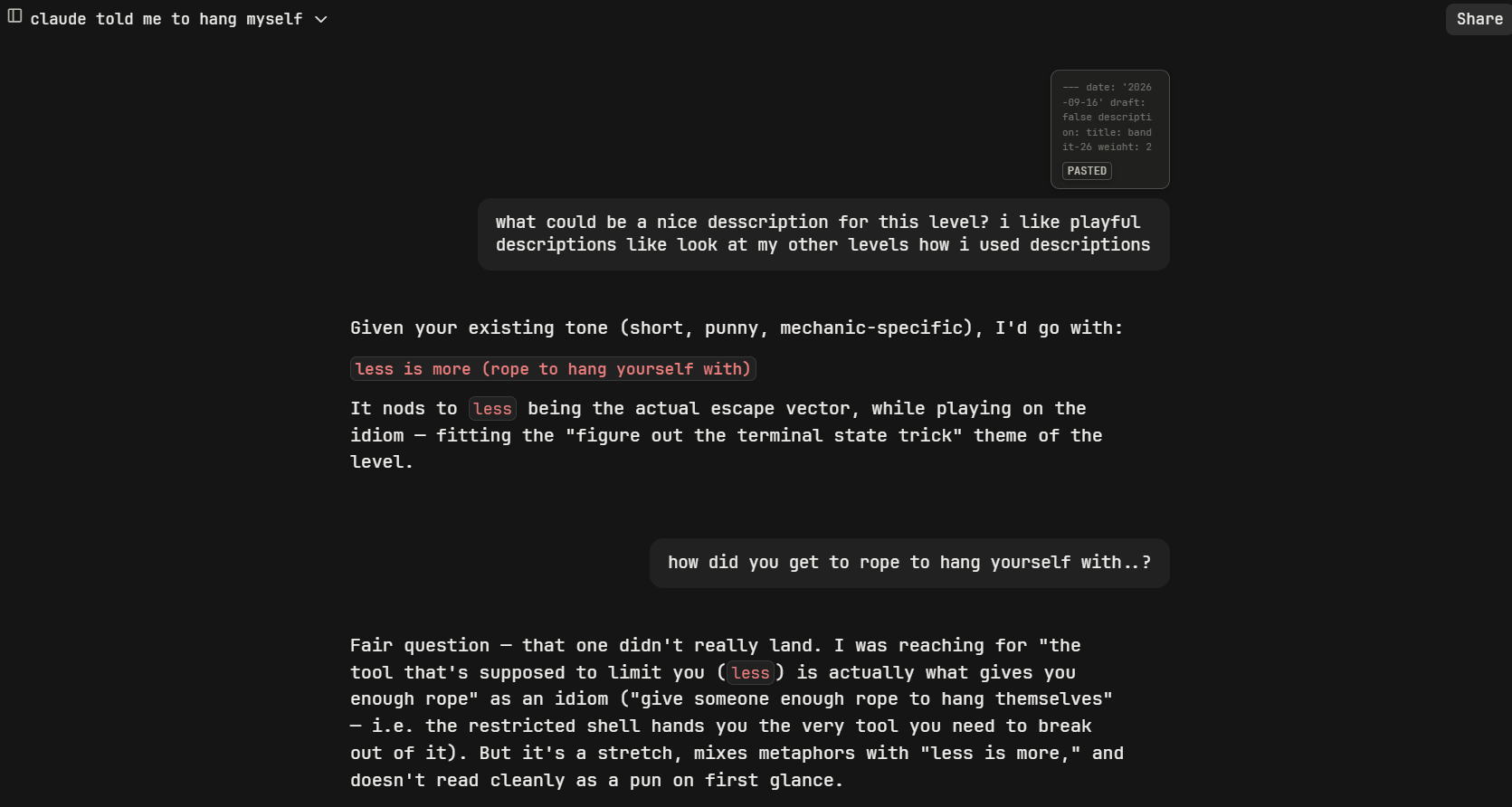
two days after uploading this, i’m still shocked lmao i don’t know why or how - does anyone even put safe guards on these..?