recap
over the past few years of visiting university i’ve always appreciated a friend’s discord status, showcasing the most classic vim exit joke 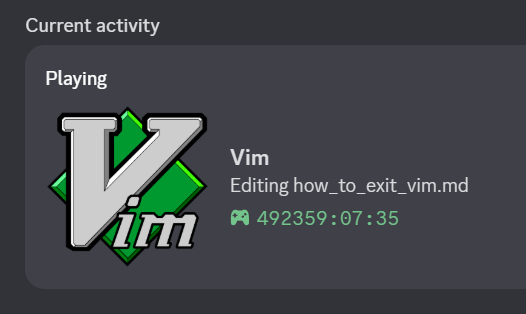 unpaid sponsorship
so.. how did it all start?
been a while on wsl (ubuntu 24.04) with arch on my laptop & it’s been bugging my mind to not have a proper (at this point in time, a non-ai driven) editor. i was always open to try new things (np++, mousepad, helix, nano you name it). tl;dr i enjoy vim controls & what it offers for its minimality being installed on majority of distros. recently also picked up on lazyvim after being glued to primeagen’s barebone nvim config, hence i thought showing it off in discord, like every arch glazer, would be cool
done some digging and i came across two fantastic articles
-
- “WSL 2 is not supported :( ❌”
with a little configuration i was able to get the passthrough to work 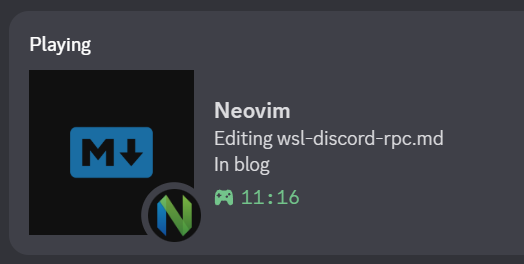
first things first, the prerequisites
- socat - multipurpose, bidirectional socket relay
- npipereleay - bridges windows named pipes to unix domain sockets
- openssh-server/client - transpots unix socket across namespaces
- a compatible plugin to display it on discord
below is an automatic install of all dependencies on ubuntu 24.04
|
|
verify that the exe is in the correct path with execution permissions (--x)
|
|
the ipc path varies depending on the environment you are using (see here or below)
- ios:
/var/run/discord-ipc-0- macos:
$TMPDIR/discord-ipc-0- windows:
[[\\.\pipe\]]discord-ipc-0- linux:
$XDG_RUNTIME_DIR/discord-ipc-0
please adjust the socket path below to match your os if you are not on wsl
|
|
obviously running this manually every time gets annoying, so we can wrap it inside our shell config (bash, zsh, etc.)
|
|
this function intends to shadow the nvim binary, ensuring the alias facilitates the consistent loading of the ipc mechanism upon startup
don’t forget to reload your shell / source it
|
|
forwarding the socket over ssh
onwards, i will partially follow this post with minor adjustments to properly compile with wsl
the relay created earlier exposes /tmp/discord-ipc-0, however, nvim expecets the discord ipc socket in the linux user runtime directory (/run/user/1000/)
to bridge this namepsace gap, we installed openssh, which conveniently enough is capable of unix domain socket forward via RemoteForward
this effectively maps:
/tmp/discord-ipc-0    ->    /run/user/1000/discord-ipc-0
(wsl relay socket)          (linux runtime socket)
firstly, get your wsl instance ip
|
|
add the following snippet to ~/.ssh/config
|
|
then create a directory for discord.conf & enable StreamLocalBindUnlink
|
|
lastly, establish the loopback ssh session from within ssh
|
|
if there is no error, you’re good to go to install the plugin
the actual plugin-part
if you’re using lazyvim, follow along, otherwise tweak it from the plugin installation reference depending on your nvim distro
|
|
sync with your package manager (:Lazy sync) & relaunch nvim
that’s pretty much it!
in case you want to troubleshoot, simply run :checkhealth cord inside your nvim distro to see what could be missing
ok so.. wtf is happening?
discord exposes windows named pipe
|
└─ \\.\pipe\discord-ipc-0     # discord binds to this socket on windows
    |
    └─ npiperelay.exe         # bridges windows pipe to the wsl unix socket
      |
      └─ /tmp/discord-ipc-0   # wsl unix socket
          |
          └─ ssh remoteforward
              |
              └─ /run/user/1000/discord-ipc-0   # forward runtime socket
                  |
                  └─ nvim rpc plugin   # cord.nvim
wsl2 runs a real linux kernel inside a lightweight vm, therefore windows applications cannot directly access its unix domain socket -> nvim expects a unix domain socket
the solution inserts a bidirectional relay that translates between these ipc primitives & forwards the stream into the linux user runtime space